
From a useful find to a finished first step.
A worked founder example that connects research, a small build, and a realistic software budget.
This is a fictional worked example: a solo founder is building a booking page for independent coaches. It is not a customer testimonial or a promise of savings. The aim is to turn a directory visit into one informed decision.
1. Write the job before choosing tools
The founder needs a page that explains the service, a way to request a session, and a simple place to keep requests. They do not yet need a complex data pipeline. Their first note records the audience, the customer action, the budget they can afford after promotions expire, and the information they will collect.
A UGC creator would write a different job: produce a small set of short clips in a required format, with clear commercial-use rights and a review process. That job makes video and image tools relevant. It does not establish eligibility for a startup grant.
2. Use relevance to make a shortlist
Choose an audience and a use case in the directory. Save two or three relevant options. Read whether each listing describes credits, a discount, a free tier, a trial, or a paid tool. Do not treat all five as money available to spend.
For every shortlisted program, check the official source, the products covered, the application conditions, the deadline or expiry, and the bill afterward. An unknown answer belongs in a question column. An audience tag is a starting point for discovery, not a provider’s approval.
3. Make the comparison reviewable
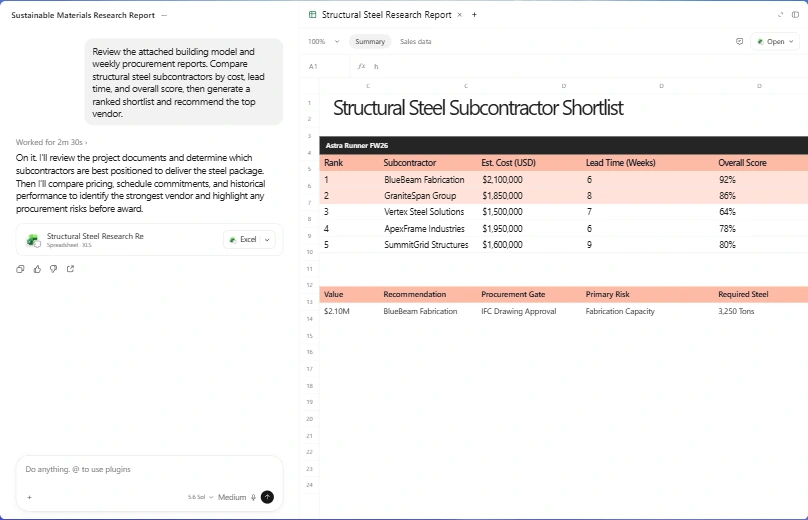
Use ChatGPT Work if you want a file comparing the options. Give it the actual links and your expected usage. Ask it to preserve unknowns and link claims to sources. You can also make this table yourself; the decision method does not require an AI subscription.
4. Build the smallest useful thing
Choose Codex or Claude Code for the project change if you have access. Do not pay for both just to follow this example. Give the tool a narrow deliverable, the existing project, and a check that shows whether it works.
In this demo booking project, make the request form usable on mobile.
Require a name and contact email, and show clear validation messages.
Use sample data only. Do not connect a live payment or email service.
Verify the empty, invalid, and successful demo states.
Return the local preview and the checks you completed.
5. Review before spending or sharing
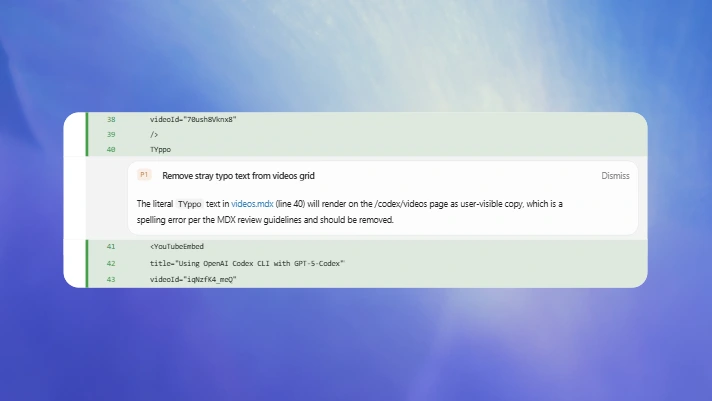
Try the page as a customer would. Then inspect the changes and the unresolved checks. Decide separately whether to publish, connect a paid service, or apply for a program. Saving a listing in ClawIsOpen performs none of those actions.
Leave with one next action
A useful session might end with a working demo, one chosen tool, and a single eligibility question to ask. That is more actionable than a long list of maximum awards. Record the decision and revisit the official terms when you are ready to apply.
Sources & review
Official documentation checked 2026-09-16. Interfaces, access, and limits can change. Screenshots are labeled public documentation captures, not screenshots of your account.