
Start Claude Code with one task you can verify.
Choose a project, explain the behavior you want, and check the result in the running app.
Choose a task small enough to recognize when it is done. This original exercise improves the README for a project you know, then verifies that a newcomer can follow it. It requires no production deployment.
Before you begin
Have a project folder and a backup or Git checkpoint. Claude’s desktop quickstart currently requires a Pro, Max, Team, or Enterprise subscription for Code. The CLI also supports documented Console or cloud-provider access, with separate billing implications. Check the official setup page for your account; a free chat account does not establish Code access.
1. Choose desktop or terminal
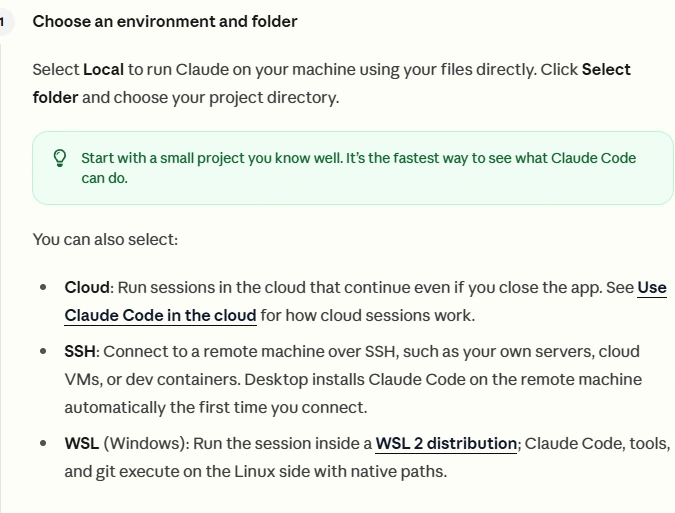
For the desktop route, install from the official source, sign in, open Code, choose Local, and select the project folder. Desktop includes Code; the CLI is a separate installation if you want to run claude in a terminal.
For a terminal route, follow the current installation steps on the official quickstart. On Windows, follow the PowerShell instructions if your prompt starts with PS. Open your project folder, check it with Get-Location, then run claude and complete the documented sign-in flow.

2. Ask it to understand the project
First ask where setup commands are defined and which instructions are already present. Read the answer against the actual files. This is a chance to catch a wrong folder or missing dependency before edits begin.
Read this project’s README and setup files.
Explain the steps a new contributor needs to run it locally.
Identify missing or contradictory instructions. Do not edit yet.
Name the files that support your conclusions.
3. Request one bounded improvement
After reviewing the findings, ask for an accurate Quick start section. Specify the operating system if the project has platform-dependent commands.
Update the README Quick start section for a Windows PowerShell user.
Use commands that actually exist in this project.
Explain required configuration without including secret values.
Verify the documented build command if the environment supports it.
Report any step you could not verify. Do not publish or deploy.
4. Compare the instructions with reality
Read the diff and run the documented steps in your development environment. Does the named script exist? Does the local URL load? Does the README distinguish an example value from a required credential? These are the completion checks for this exercise.
Claude Code permission modes affect when edits or commands happen. Read the active mode rather than expecting every action to ask first. For an uncertain change, request a plan and review it. If a test cannot run, retain that limitation in the handoff. A confident summary is not a passing command.
Sources & review
Official documentation checked 2026-09-16. Interfaces, access, and limits can change. Screenshots are labeled public documentation captures, not screenshots of your account.